What is a Barcode? A barcode is an image consisting of a series of parallel black and white lines that, when scanned by a barcode reader, it can relay information about the product or object it is referring to. It is used to automate the transfer of information such as price, product unique id, or any other information that is relevant for the process or transaction that it tries to support. One example is scanning of products into an electronic point of sale system when customers checkout the goods from the store. The lines in a barcode are separated by white spaces of varying degree.

Brief History of Barcodes

History of barcodes
The UPC barcode was thought as the very first “barcode” but the first barcode symbology was round and wasn’t officially called a barcode when it was invented. As shown in image on the right it looked like a bull’s eye target because it was a series of concentric circles that was intentionally designed so it can be scanned in any direction. It was called as “bull’s eye” barcode. The inventor themselves, Joseph Woodland and Bernard Silver was the first to come up with this design to solve the problem of tracking huge inventories in grocery stores that started to expand to become what we call now as supermarkets. The first item to be commercially scanned with a UPC barcode was a 10-pack of Wrigley’s Juicy Fruit gum. It was in June 1974 when the first grocery store checkout scanner was installed by National Cash Register at Marsh’s Supermarket. Watch the video of the first barcode being used in YouTube
Barcode High-level Processing There are typically 3 key processes that are present for all barcode use-cases: Generate Barcode, Print Barcode, Scan Barcode.

1. Generate Barcode

Though barcodes are machine-readable images, a barcode generator tool is required to generate images following the symbology required. These are software’s that allow the user or the company to enter the information in the tool and be able to generate an image that contains the data entered

2. Print Barcode label

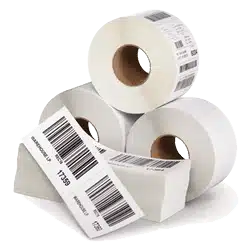
After barcodes are generated, these must be printed into labels so the labels can be stuck on the product that it tries to identify. Other use cases would be to print barcode labels on airline tickets, cashier receipts, movie tickets, etc. These would require printer and label supplies. In recent years, barcodes are generated by applications and sent to the recipient through digital channels such as e-mail, mobile or multimedia messages. This option saves cost for the generator by not requiring printers to print the barcode labels.

3. Scan Barcode

Bar code labels must be read and fed into the system that will interpret the content and processed further in operations if necessary. To be able to read the barcode from a label, and pass the information read to the processing system, a barcode reader is required.

A barcode reader is an electronic device that can read and print the output of barcodes to a computer. The scanner has a light source a lenses and light sensor to translate the e optical impulses into electrical impulses. Nearly all barcode readers contain decoder functionality that analyses the barcode’s image data provided to the sensor and send that information to the scanners print output port.

Typical barcode readers are mobile hand-held, mobile computers, in-counter scanner, fixed-mount scanner, and wearables.

Barcode Symbology Symbology refers to the mapping between the messages and barcodes. A symbology is typically comprised of barcode elements that include the encoding of the message into bars and spaces, start and stop markers, quiet zone size required before and after the barcode and computation of the check digit. Barcode symbology can be grouped to one-dimensional or two-dimensional barcodes. One-dimensional barcodes systematically represent data by varying the widths and spacings of parallel lines. These include some of the classical and newer types of barcodes. Common example of one-dimensional barcodes is: UPC Code, EAN Code, Code 39, Code 128, ITF, Code 93, Coda bar, GS1 Databar, MSI Plessey. Two-dimensional barcodes are systematically represented data using two-dimensional symbols and shapes. They are like a linear 1D barcode but can represent more data per unit area. Common 2D barcodes are QR Code, Data matrix Code, PDF417, and Aztec. barcode processing Barcode Structure Each barcode format or symbology may follow similar structure but also have varying elements that may be unique to the symbology. Key elements of barcode structure are:
  1. Quiet Zones (Margin)
  2. Start and Stop Character
  3. Data (message)
  4. Check Digit
  5. Barcode Length
  6. Barcode Height
  7. Interpretation Line
  8. Narrow Bar and Wide Bar
  9. Binary Level and Multiple Level